PVE共享host文件系统到vm虚拟机
proxmox 8.4新增功能
Sharing host directories with VM guests using virtiofs. - Virtiofs allows sharing directories between the Proxmox VE host and VMs without the overhead of a network filesystem. - Modern Linux guests support virtiofs out of the box. - Windows guests need to install additional software.
简单说就是将挂载到pve宿主机的存储,直接共享给vm虚拟机,不通过网络。虚拟机支持windows和linux,挂载后都可以直接进行读写。在集群层提供了文件存储的功能。
集群设置共享目录
在Datacenter》Directory mappings添加共享的文件夹
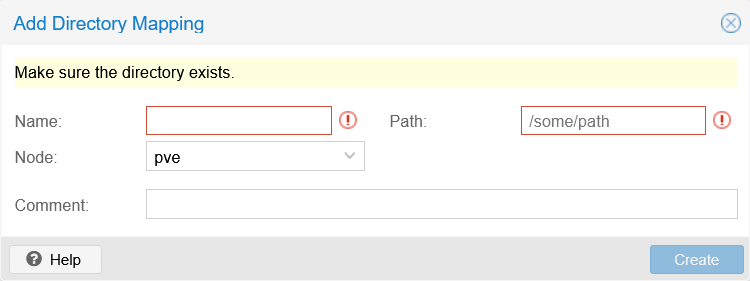
name:标签
path:要共享的文件夹路径(宿主机路径)
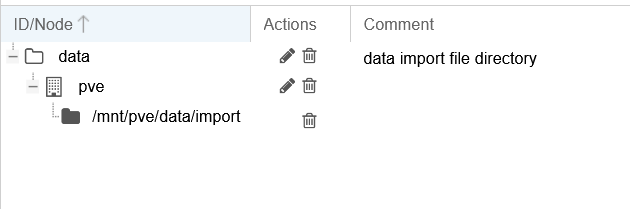
创建后会在页面显示文件结构
配置给虚拟机
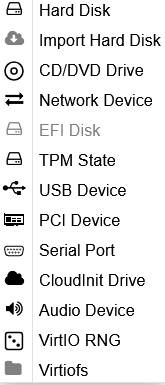
虚拟机关机后,在配置页面添加Virtiofs
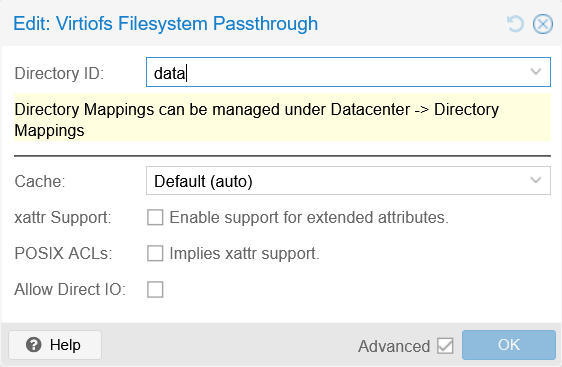
在对话框中选择刚刚在集群创建的共享标签
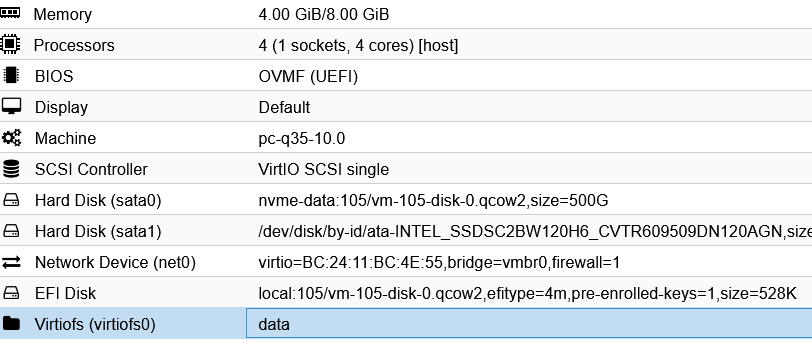
开机进入vm虚拟机系统
在系统中挂载
windows系统
安装 VirtIO-FS 驱动,这个驱动包含在virtio-win驱动包中安装过的可以跳过
vm中下载并挂载最新的 VirtIO ISO 镜像。
运行Virtio-win-guest-tools.exe安装驱动
验证驱动:打开 PowerShell,运行:
Get-Service VirtioFsDrv
Get-PnpDevice | Where { $_.FriendlyName -like "*VirtioFS*" -or $_.FriendlyName -like "*Virtio FS*" }
如果是未运行,检查服务Virtio-fs Service并设置为运行,并配置为自动运行。
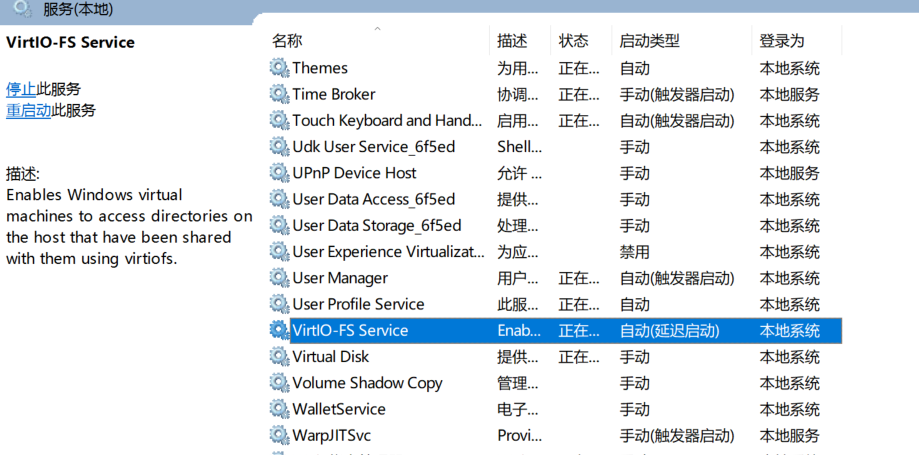 安装 WinFSP 工具:
从 https://github.com/winfsp/winfsp/releases 下载最新版,并安装。WinFSP 用于将 VirtIO-FS 暴露为 Windows 驱动器。
在 PowerShell 中重启 VirtIO-FS 服务,注意挂载使用Z盘符,保证盘符未被占用:
Restart-Service VirtioFsSvc
共享目录会自动作为网络驱动器出现
linux系统
比较新的系统已经支持VirtIO-FS,如果旧系统,查看是否安装fuse3 挂载和普通挂载没什么区别
创建挂载目录
sudo mkdir /mnt/hostshare
测试挂载
sudo mount -t virtiofs data /mnt/hostshare
此时使用df -h可以看到已经挂载到本地
永久挂载,添加到**/etc/fstab**
data /mnt/hostshare virtiofs rw,relatime 0 0
实际测试
分别在windows和linux虚拟机测试,挂载文件均正常读写,共享出来的vhdx虚拟磁盘,在windows下可以正常挂载和读写。